Before you start
Have these to hand. You can come back for anything you don’t have yet.
Your IDG teams set up (guide 2, step 4)
Each patient's records from the last two weeks in their Records tab
Put your patients on their teams
Open IDG in the left rail. When admitted patients are on no team, the page says how many; choose Assign them, pick the patients, choose the team and Assign. Only admitted patients are on a team; a referral joins one once admitted.
Patients come up on their team's meeting when their review is due. To bring one up early, choose + Add patient on the meeting and search by name or MRN.
Put the records in
A brief is written only from the patient's records in Jubal. Before the meeting, drop the visit notes, medication changes and other documents since the last review into each patient's Records tab. A record that is not in Jubal is not in the brief, and the brief says what is missing.
Weekly vitals logs? Choose Upload vitals logs on the IDG page and drop your EMR's vitals exports, one file per patient or everyone's in one. Jubal matches each log to its patient, and you confirm each match before anything is filed.
Prepare the briefs
At the top of the IDG page, check the meeting date and team. The Prepare button counts the briefs still needed, for example Prepare 6 briefs; choose it and Jubal prepares them two at a time, about a minute each. To prepare one patient only, open the patient and choose Prepare this brief.
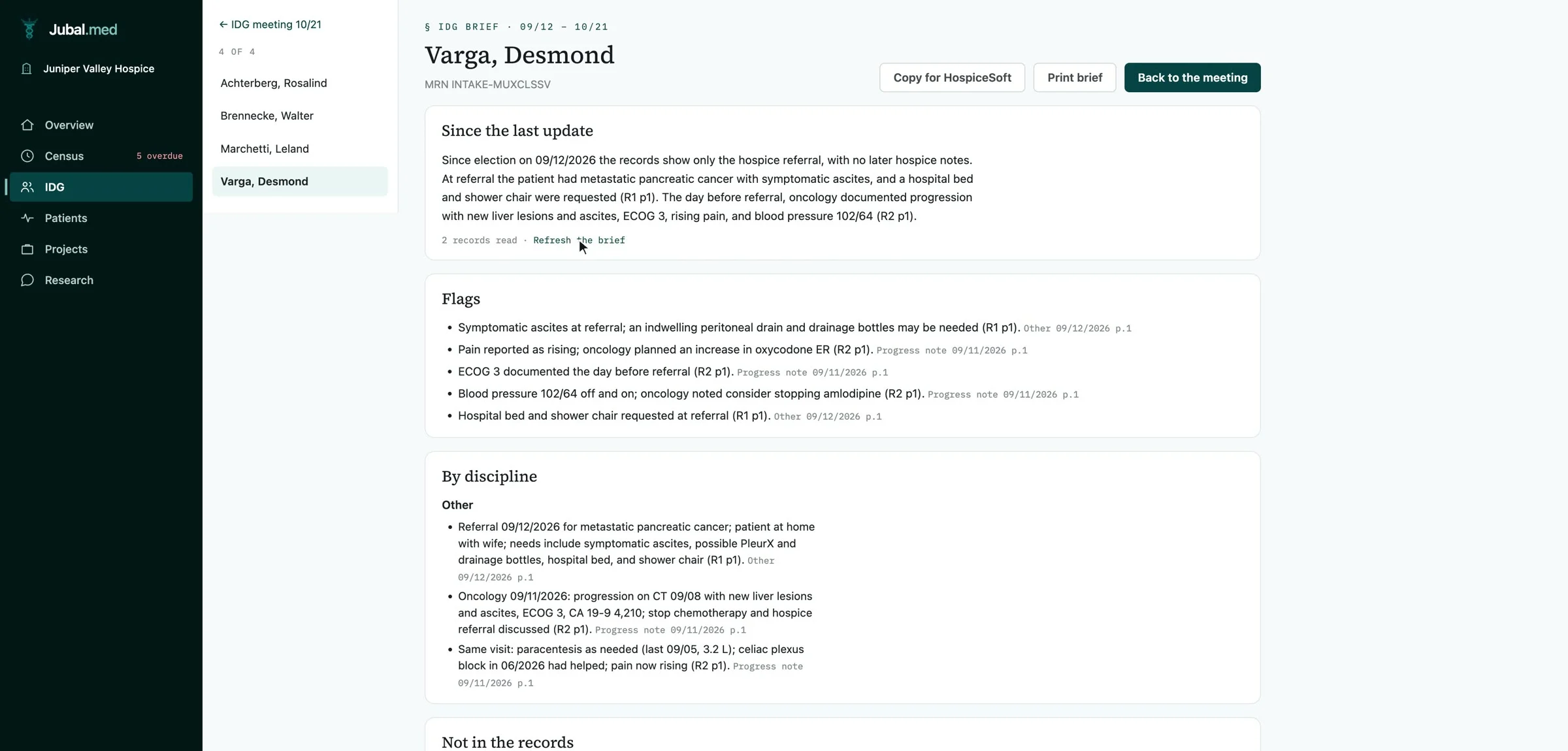
A record added after a brief was prepared is flagged on the meeting list. Open the patient and prepare the brief again so the new record is in it.
What a brief holds
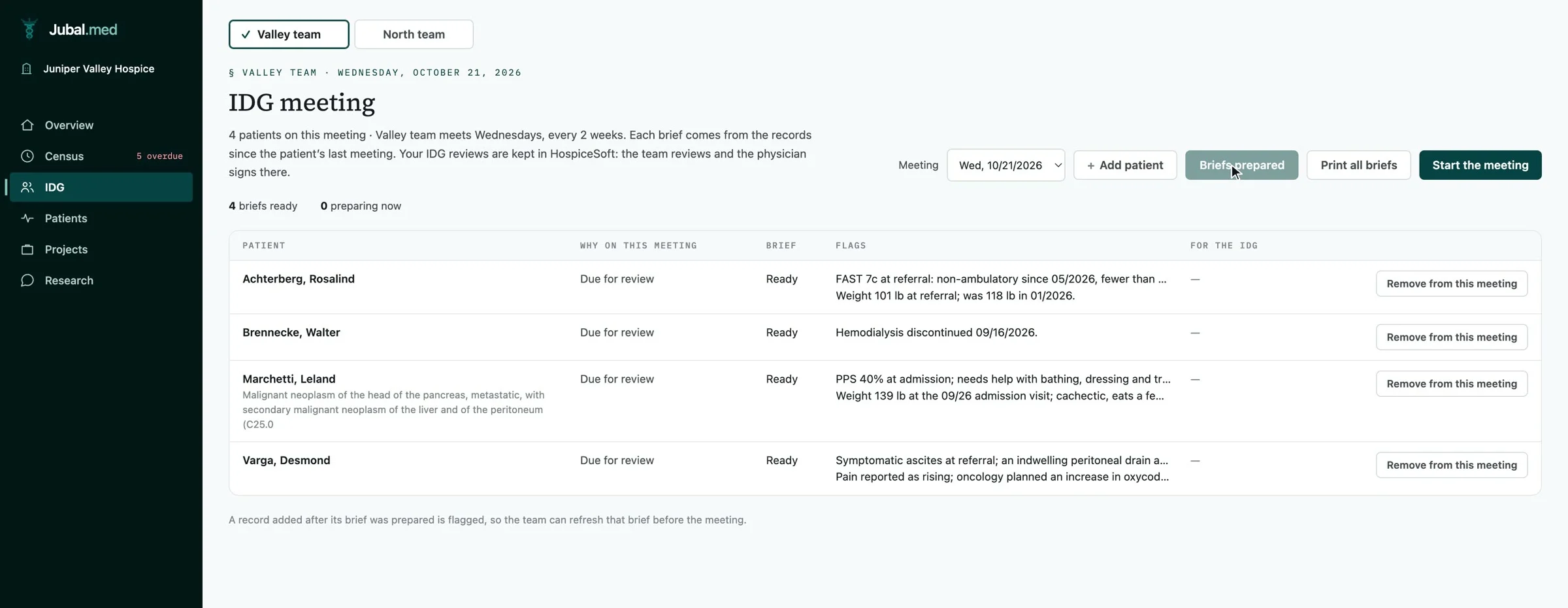
- Since the last update: how the patient has changed, in plain sentences.
- Flags: falls, decline, weight loss, new or worse wounds, uncontrolled symptoms, family or safety concerns.
- By discipline: nursing, aide, social work and chaplain, and visits against the plan.
- Not in the records: what the team would expect to see and cannot, named instead of guessed.
- Plan of care to consider: suggestions only, each with its source. The team decides.
At a patient's last meeting before recertification, the brief covers the whole benefit period and compares each measure at the last certification with now. Jubal never says whether a patient is still eligible; that is the physician's decision.
Run the meeting
Choose Start the meeting to go patient by patient, or open any patient on the list. What you do next depends on where your IDG reviews live (guide 2, step 5).
| Your IDG reviews live in | In the meeting |
|---|---|
| Your EMR | Copy for your EMR copies the brief with its sources, to paste in. The team records its decisions and the physician signs in the EMR. Print all briefs prints the meeting. |
| Jubal | The team corrects the draft, marks each suggested change Added to the plan or Not now, ticks the members present, and chooses Accept and next patient. The accepted draft is the patient's assessment and plan-of-care update. |
Taking a patient off one meeting needs a reason, and nothing is deleted: they come up again at the next one.
You are done when…
Every admitted patient is on a team.
Every patient on the meeting has a brief prepared from current records.
Each brief is copied into your EMR, or accepted in Jubal, with the members present.