Before you start
Have these to hand. You can come back for anything you don’t have yet.
The referral packet, face sheet, H&P and medication list, as PDFs, Word files or photos
Whether the patient is a new referral or already on service
Start the intake
On Patients, choose + New patient. First say whether this is a New referral (a patient you are about to admit) or Already on service (a current patient, whose NOE and certification are already done).
Start with the documents
Drop everything on hand into Start with the documents: referral, face sheet, H&P, medication list, intake notes. Jubal reads each file as it lands and fills in the next steps. Scanned pages take a little longer while the text is recognised.
On the desktop app you can drag files straight from your EMR's download folder or an email. No documents yet? Choose Skip ahead; every field can be typed.
If Jubal thinks the patient may already be on the census, with the same MRN, or the same name and date of birth, a notice appears above the Patient step. Choose Open the existing record to switch to it, or Keep as a new patient.
Check each step
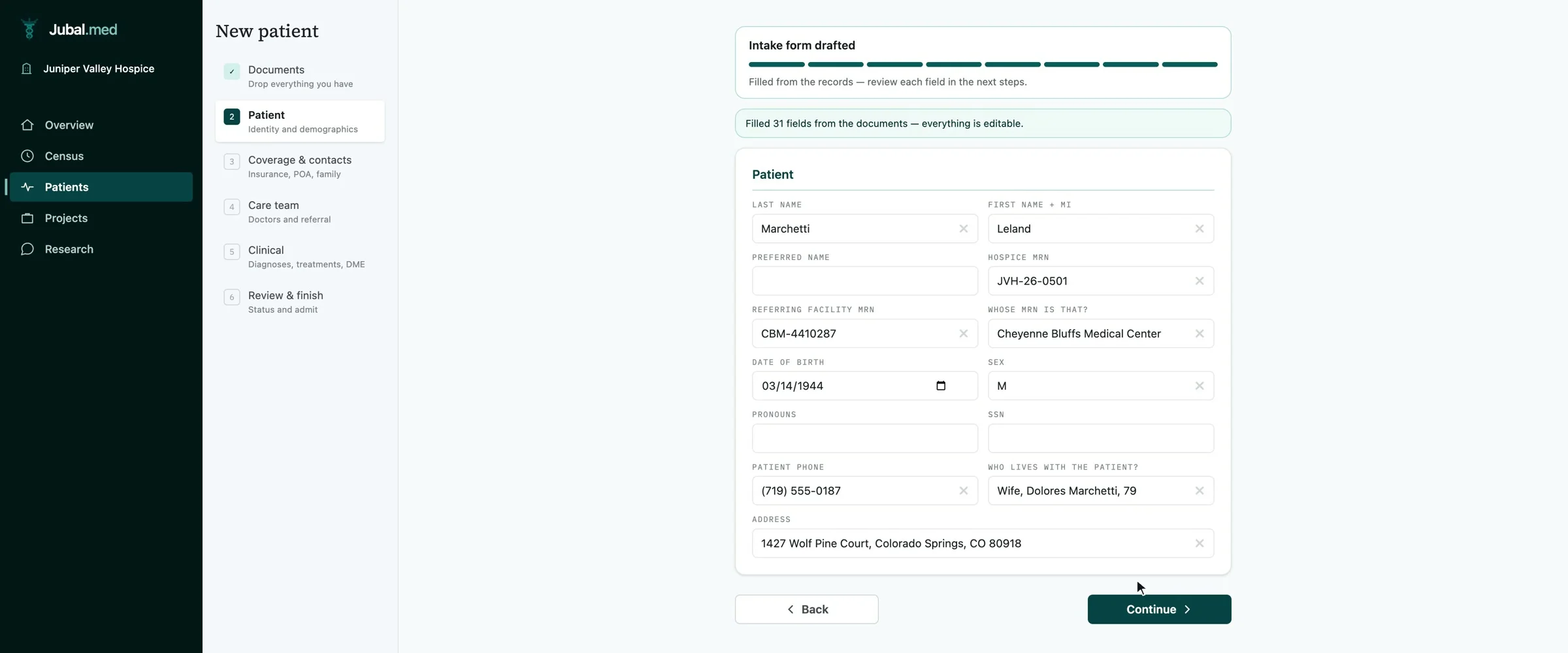
Work through the steps on the left. Every value Jubal proposed came from a document; anything it could not find is left blank, never guessed.
- Patient: identity and demographics.
- Coverage & contacts: Medicare and other coverage, family and contacts.
- Care team: the attending physician, the referral and specialists.
- Clinical: diagnoses, treatments and equipment.
- Medications: reconcile the lists from every document into one.
If something critical is missing, Jubal asks on a card under the form. Answer on the card, or skip it.
The intake saves as you go. Close it and the patient shows on the census marked Intake; open it again and you are back where you left off.
Review and finish
On Review & finish, set the Level of care and the Status. Admit patient starts the compliance clocks and creates your intake tasks; Save referral keeps the patient as a referral until you admit them. Jubal then builds the completed Intake form as a document on the patient.
An MRN is optional at intake. Jubal gives the patient a placeholder until you enter your EMR's number under Details on the patient page.
Next, the patient's first statutory document: guide 4, A relatedness worksheet, start to finish.
You are done when…
The patient is on the census with the right status.
Their records show as ready on the Records tab.
The Intake form is under Documents.