Before you start
Have these to hand. You can come back for anything you don’t have yet.
A hospice source for the terminal diagnosis, such as your certification of terminal illness
The signed election statement
A current medication list
Put the records in first
Open the patient and the Records tab. Drop in anything not there yet. The worksheet stands on the patient's own records only, so a record that is not in Jubal will not be on it.
The terminal diagnosis comes from a hospice source only. A hospital or facility diagnosis never counts. If no hospice record states it, Jubal proposes the best-supported one and asks you to confirm it.
Start the worksheet
On the patient's Compliance tab, find Relatedness worksheet and choose Start →. You can also type "prepare the relatedness worksheet" in the patient's Ask box.
Jubal checks it has four things: a hospice source for the terminal diagnosis, the election statement, a medication list, and the patient's identity. If one is missing it asks on a card. Drop the record in, or choose skip; skipped items are listed in the worksheet under Missing for a complete signed document.
Let it work
Jubal lists every condition, medication and equipment item, checks the list against the records so nothing on the medication or problem list is left out, writes the three grids, then has a second model from a different company audit every determination. It fixes what the audit objects to, then finalizes. You can watch what it is reading as it goes.
Read every row
The finished worksheet is under Documents. Each row has one of three determinations:
- R, Related: related to the terminal illness. The hospice covers it.
- U, Unrelated: not related. The row gives the reasons, and it goes on the patient's addendum.
- PR, Physician review: a genuine close call. Both positions are stated and the physician decides.
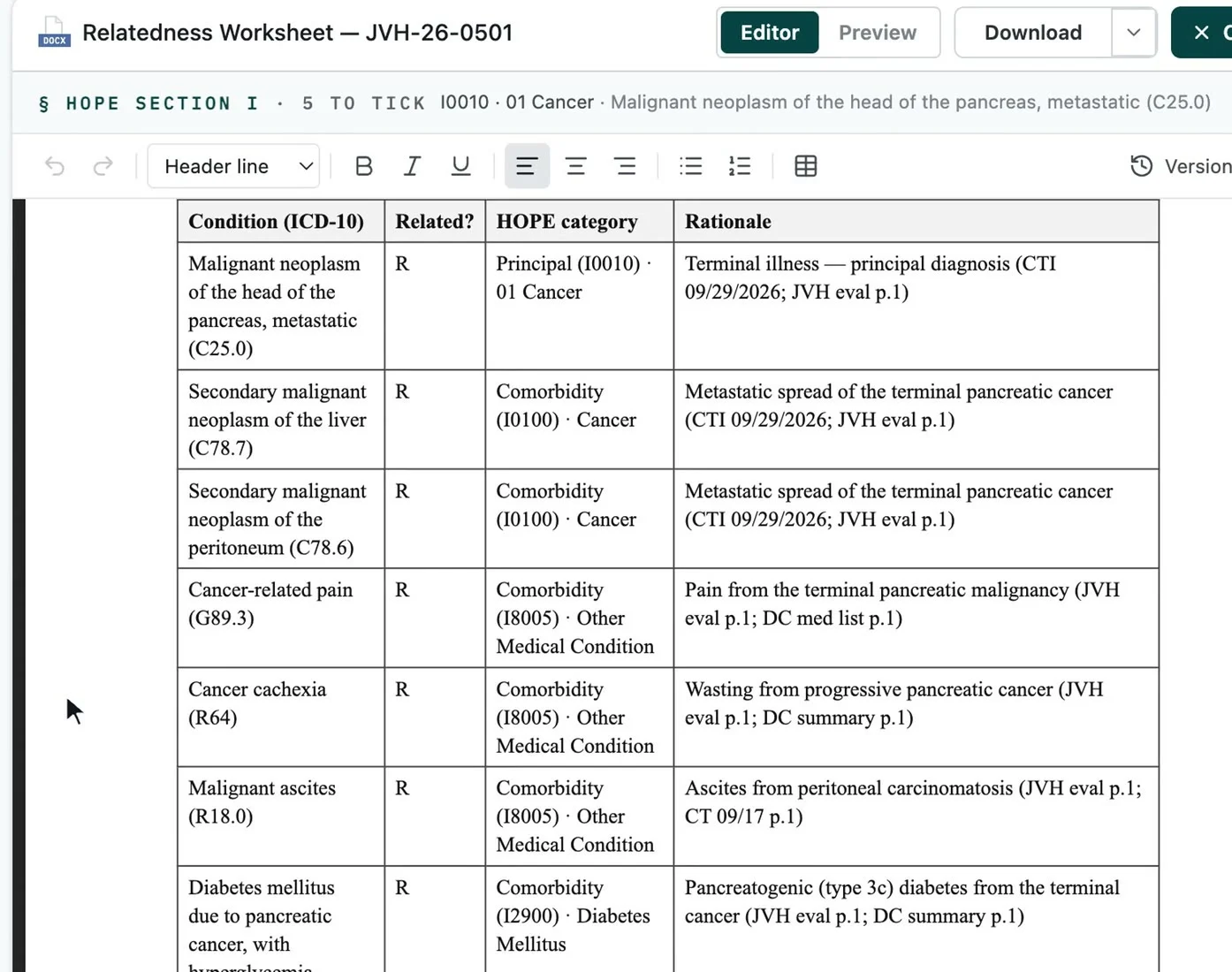
When in doubt, the rules lean to Related. A PR row is for a real close call only; your physician makes the call and the IDG records it.
Edit, then print or download
To change wording, edit in the document; Jubal's own edits arrive as suggestions you accept. Download saves a Word file, and Print prints it for signing.
Every worksheet follows the same eight-section template and is checked against the statutory rules before it can finalize. One that cannot meet the rules stays a draft and says why, rather than becoming a wrong document.
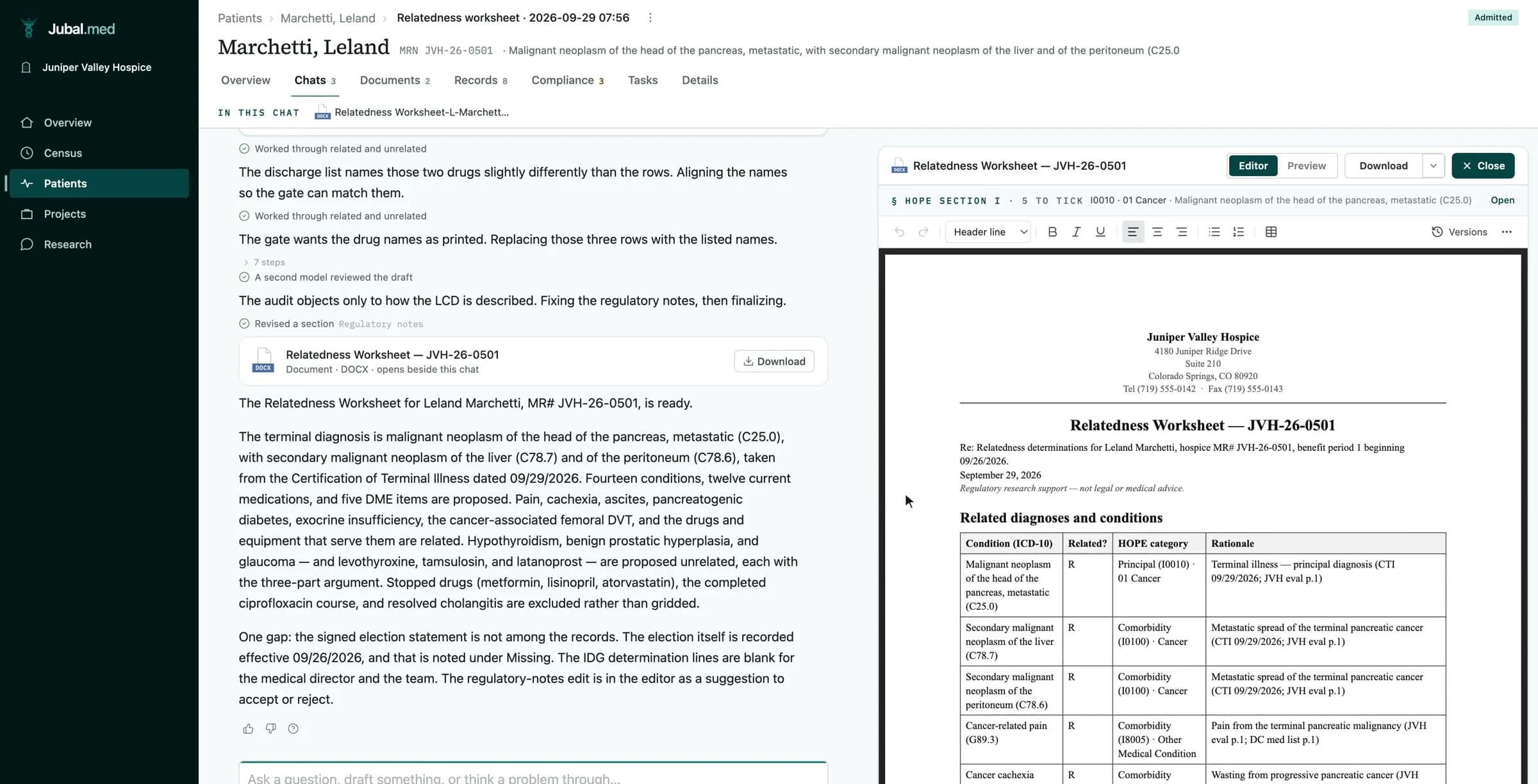
New records arrived? Choose Redo → on the Compliance row to rebuild the worksheet. Determinations are rebuilt with Redo, never edited by hand.
Build the CTI and the addendum
From the same Compliance tab:
- Certification of Terminal Illness → Start → builds the one-page certification, with a blank space for the physician's own narrative, and beside it the Clinical findings the physician writes from.
- Election statement addendum → Build → builds the patient's notice of non-covered items from the worksheet's Unrelated rows. It is due within five days of the election.
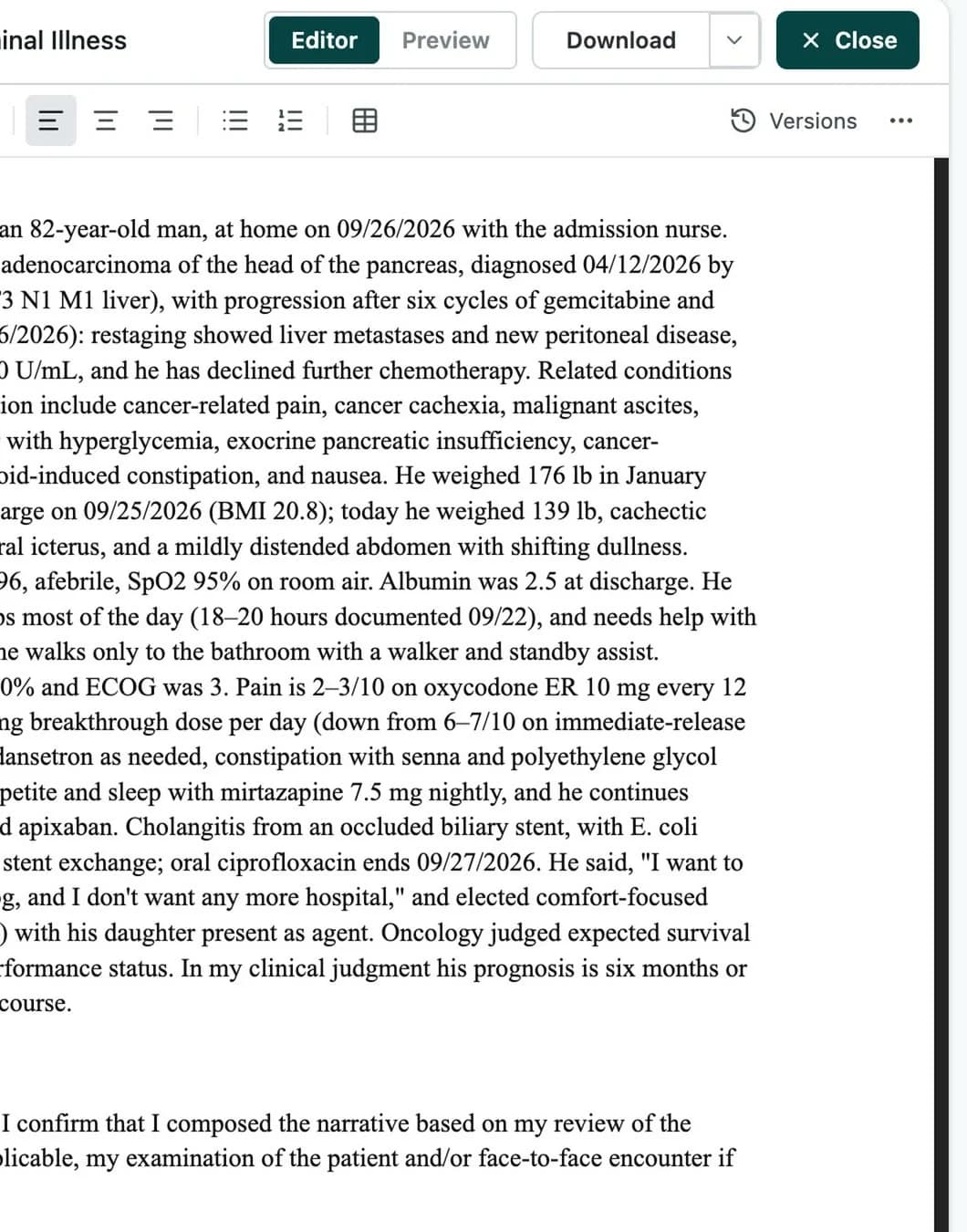
More on each: The Certification of Terminal Illness and The election statement addendum.
You are done when…
The worksheet is under Documents, with no Missing items you can still supply.
Every PR row has gone to the physician.
The certification and the addendum are built, printed and on their way to signature.